
A QUIETER WAY INTO SCRIPTURE
Read deeply.
Study clearly.
Stand firmly.
Buckler keeps Scripture at the center and a full study library one tap away: nine translations, five commentaries, Hebrew and Greek word study, and a private place for your notes. No account needed to begin.
Runs in your browser. Install it on your phone or desktop.
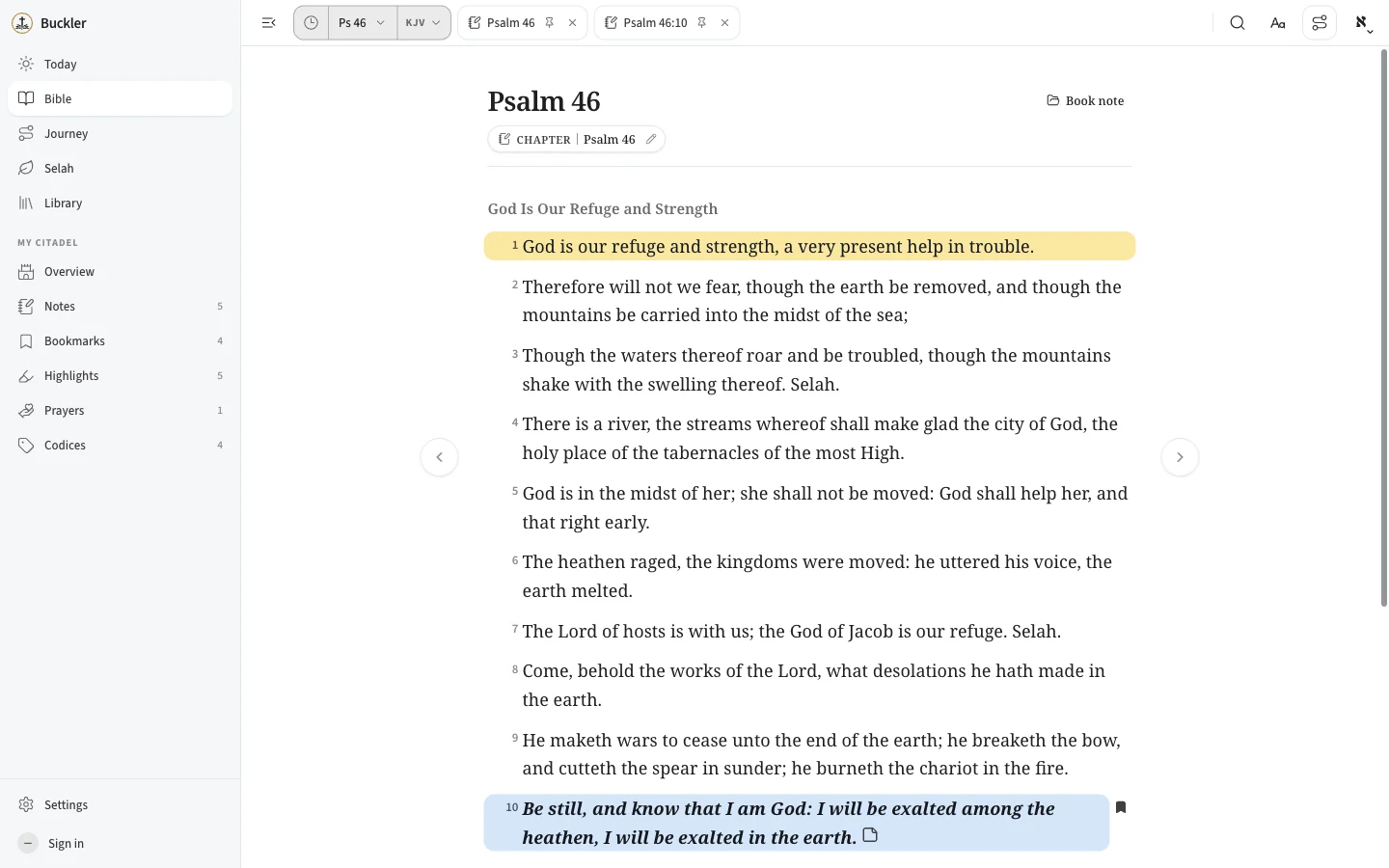
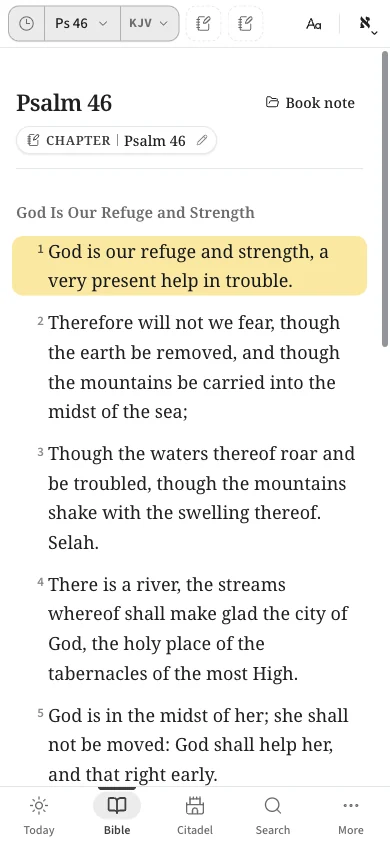
01 / STUDY WITHOUT LEAVING THE PAGE
The passage stays
at the center.
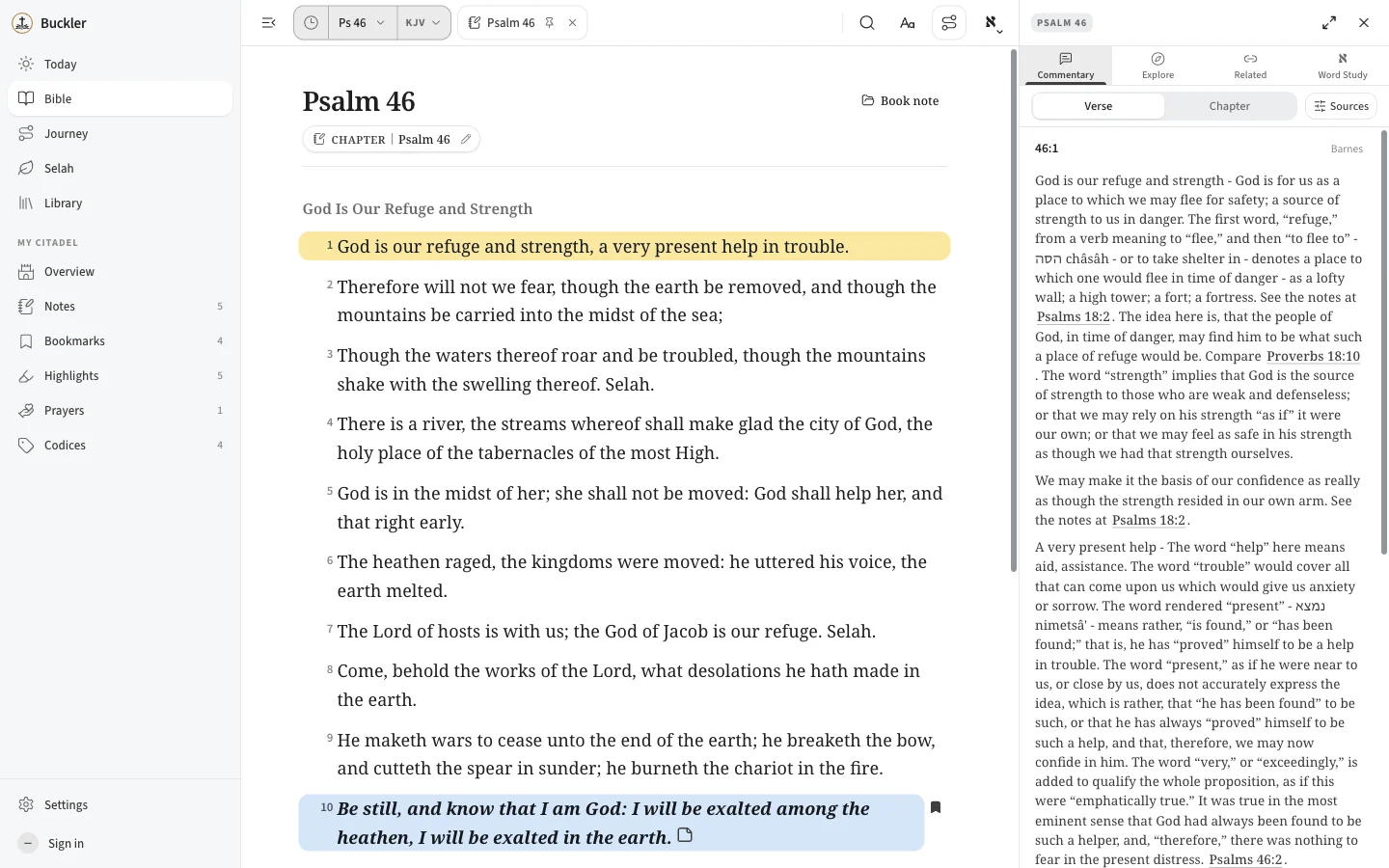
Tap a verse and the study panel opens beside it. Close it and you are back in the text, exactly where you were. Nothing takes over the page.
- CommentaryMatthew Henry, Barnes, Clarke, Kretzmann and the Scofield notes, verse by verse.
- Cross-referencesTwo sets, including the Treasury of Scripture Knowledge, a tap from any verse.
- Hebrew and GreekTap an underlined word for Strong’s, Thayer, Brown-Driver-Briggs and Abbott-Smith.
- Dictionaries and topicsEaston, Nave and Smith, to follow a name, place or theme across Scripture.
THE BUCKLER RHYTHM
Read. Study. Stand.
One steady way of engaging with Scripture.
Begin with the Word.
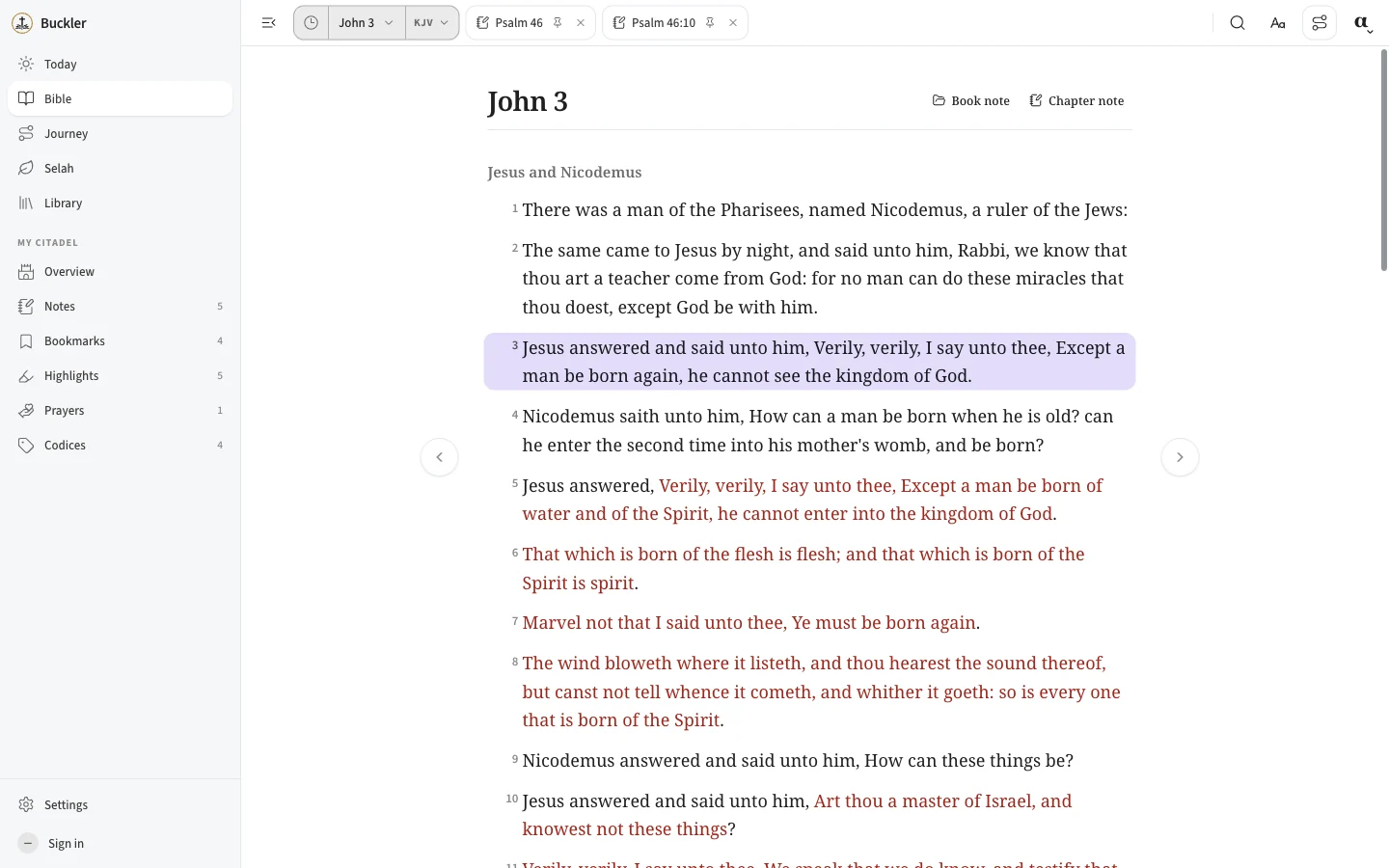
Nine translations, section headings, red-letter text and a reading mode that gets out of your way. Switch versions without losing your place.
SELAH
Make space
to pause.
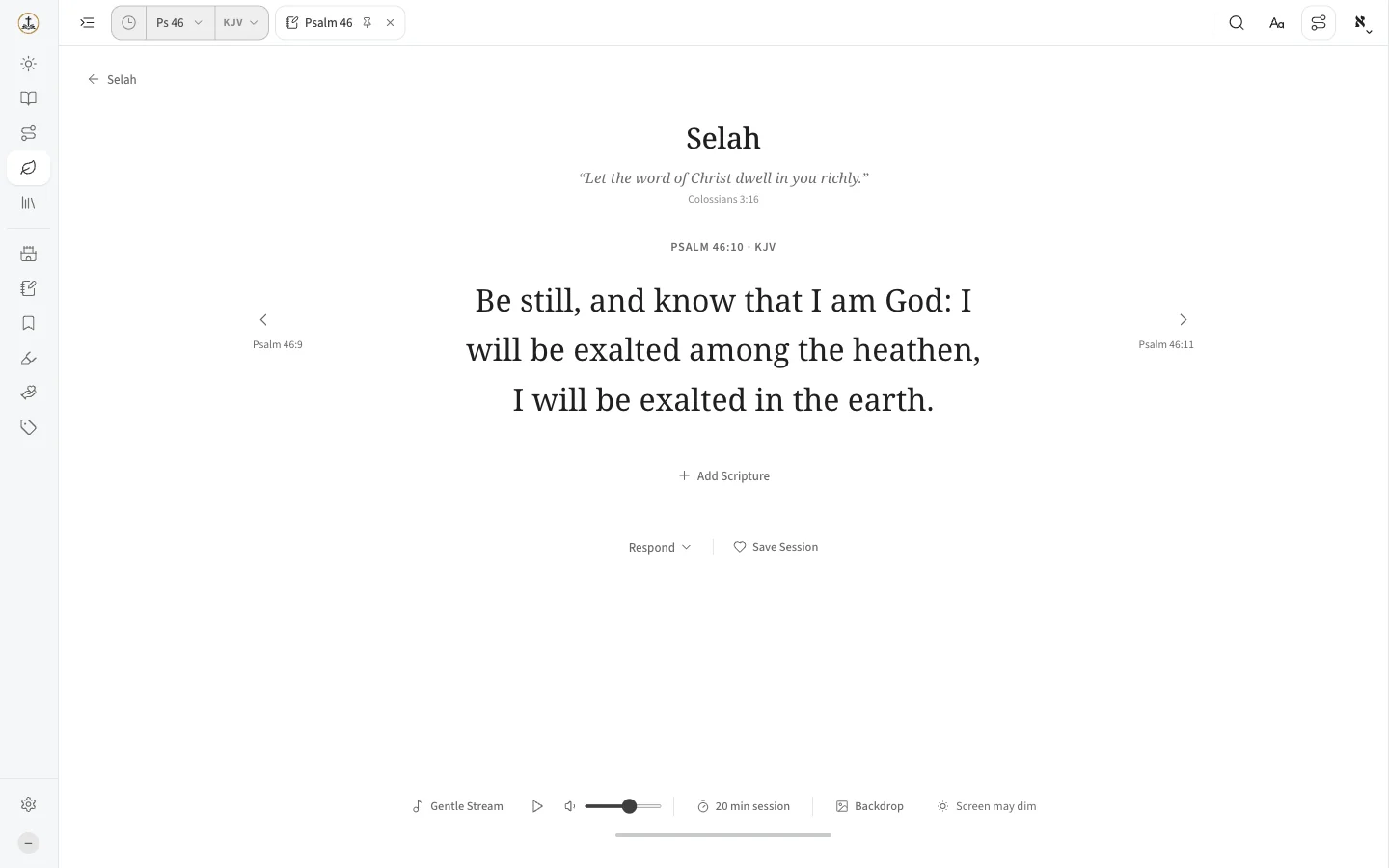
Selah is a quiet screen for one passage at a time. Choose the verses, set a gentle soundscape and a timer, and rest in the text. When you are ready, respond with a journal entry or a prayer.
- Nothing is saved unless you chooseOpening Selah is not a record. Save a session only if you want to return to it.
- Prayers that stay with youSet reminders, and look back on answered prayers when you need the encouragement.
03 / MY CITADEL
Everything you keep,
in one place.
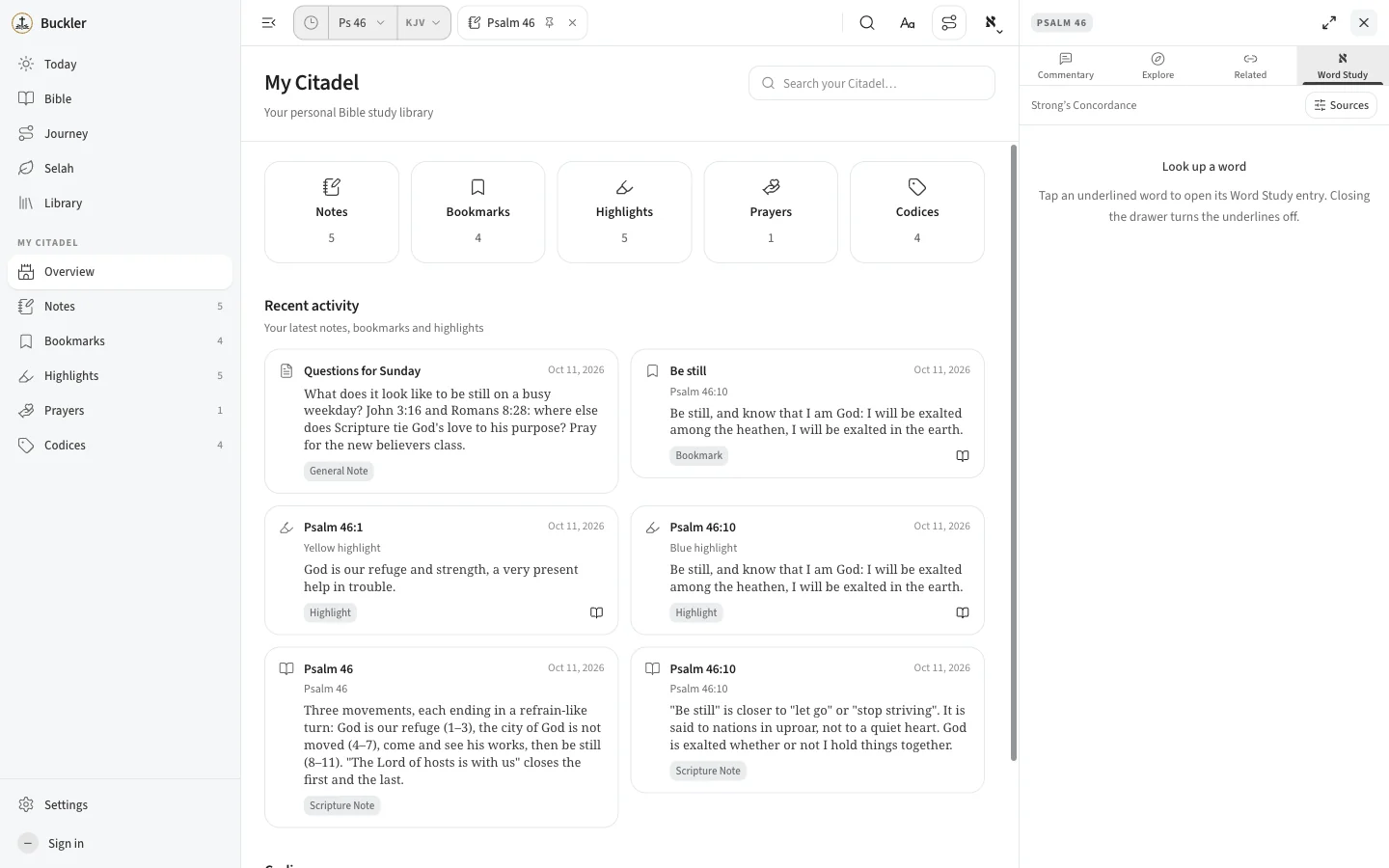
What you learn should not disappear into a feed. My Citadel gathers your notes, highlights, bookmarks and prayers, each tied to the verse it came from. Export your notes as Markdown or print them any time.
- NotesOn a book, a chapter, a verse, or a single word in it.
- HighlightsFive colors, and you decide what each one means.
- BookmarksFind your way back to the verse that stopped you.
- PrayersKeep them, and look back on the answered ones.
04 / THE LIBRARY
Old books.
Real attention.
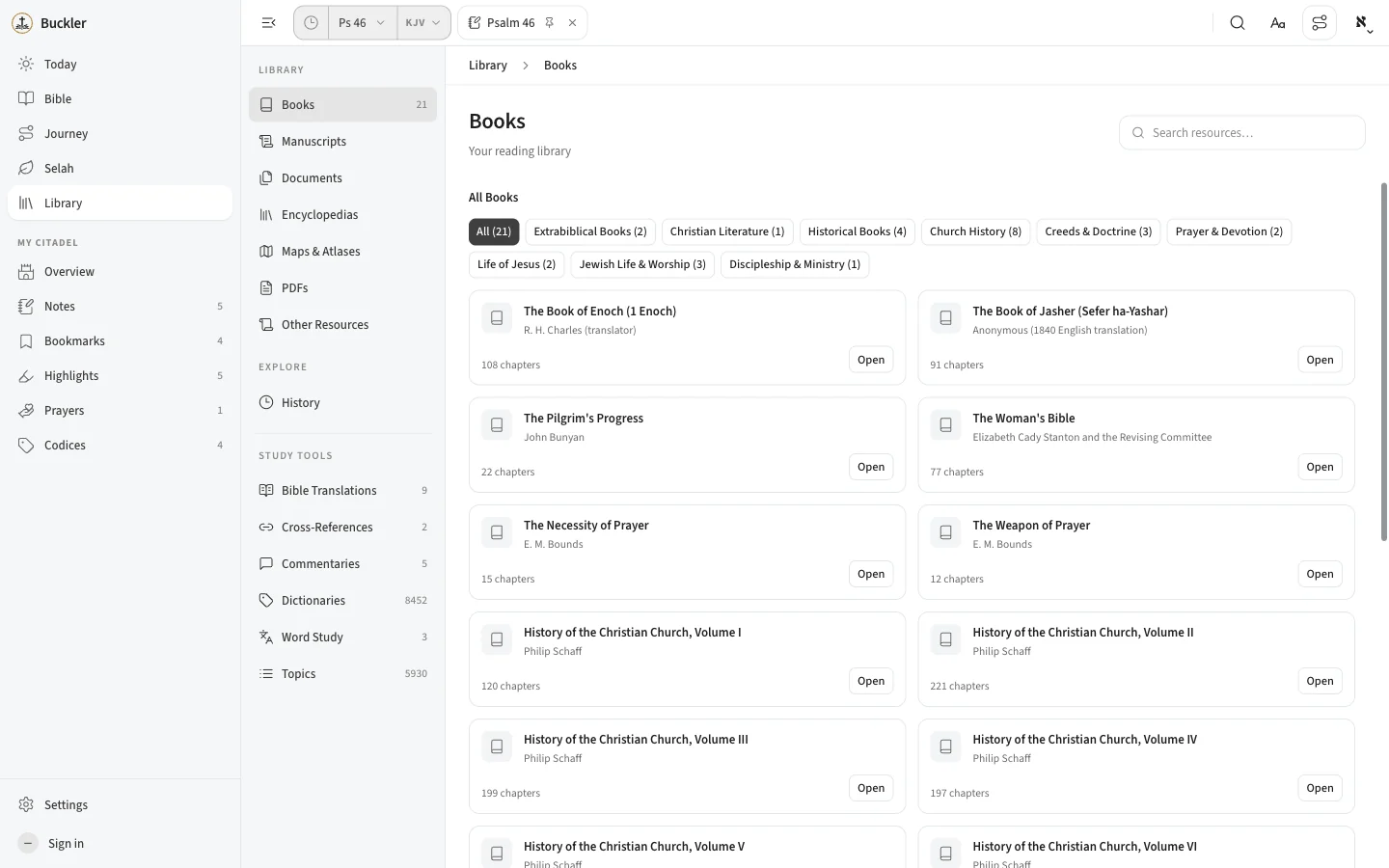
Read public-domain classics inside Buckler: Bunyan’s The Pilgrim’s Progress, E. M. Bounds on prayer, Alfred Edersheim’s Life and Times of Jesus the Messiah, and Philip Schaff’s History of the Christian Church. Twenty-one books to start, beside the same study tools as the Bible.
Browse the library05 / PRIVATE BY DEFAULT
Your study lives
on your device.
Buckler is local first. It works the moment you open it, and your work stays yours.
No account to start
Open and read. Notes, highlights and bookmarks save on this device.
Sign in only to sync
Use Google or an emailed code. No passwords. Your study follows you to other devices.
Yours to take
Back up and restore everything, export notes as Markdown, or delete your account whenever you like.
06 / EVERYWHERE YOU READ
Install it like
an app.
On desktop and Android, install Buckler from your browser and it opens in its own window. On iPhone and iPad, use Share, then Add to Home Screen. The Bibles you have loaded keep working offline.
Open Buckler07 / QUESTIONS
A few things
worth knowing.
What is Buckler?
Buckler is a Bible reading and study app. Scripture sits at the center, with commentary, cross-references, Hebrew and Greek word study, a library of Christian classics, and a private place for your notes, highlights, bookmarks and prayers.
Do I need an account?
No. Open Buckler and start reading. Your notes, highlights and bookmarks are saved on your device. Sign in with Google or an emailed code only if you want your study to follow you to another device.
Which translations are included?
KJV, ASV, WEB, WEB British Edition, Webster’s Revision, Darby, Young’s Literal Translation, the KJV with Apocrypha, and the Revised Version with Apocrypha. All are public domain.
Where is my data stored?
On your device, in your browser’s storage. If you sign in, your notes and highlights also sync to your account. Without an account, clearing your browser’s site data would remove them, so use Backup in Settings now and then.
Does it work offline?
Yes. Install Buckler and the Bibles it has loaded keep working without a connection. Syncing waits until you are back online.
Where can I use it?
In any modern browser at app.mybuckler.org, and installed like an app on desktop, Android, iPhone and iPad.
Why the name?
A buckler is a small shield. “His truth shall be thy shield and buckler,” says Psalm 91:4. Buckler is meant to help you carry the Word with you.
READ. STUDY. STAND.
Make room for
the Word.
Open Buckler and begin with Scripture. The study tools and your own space are there when you go deeper.
Open Buckler